

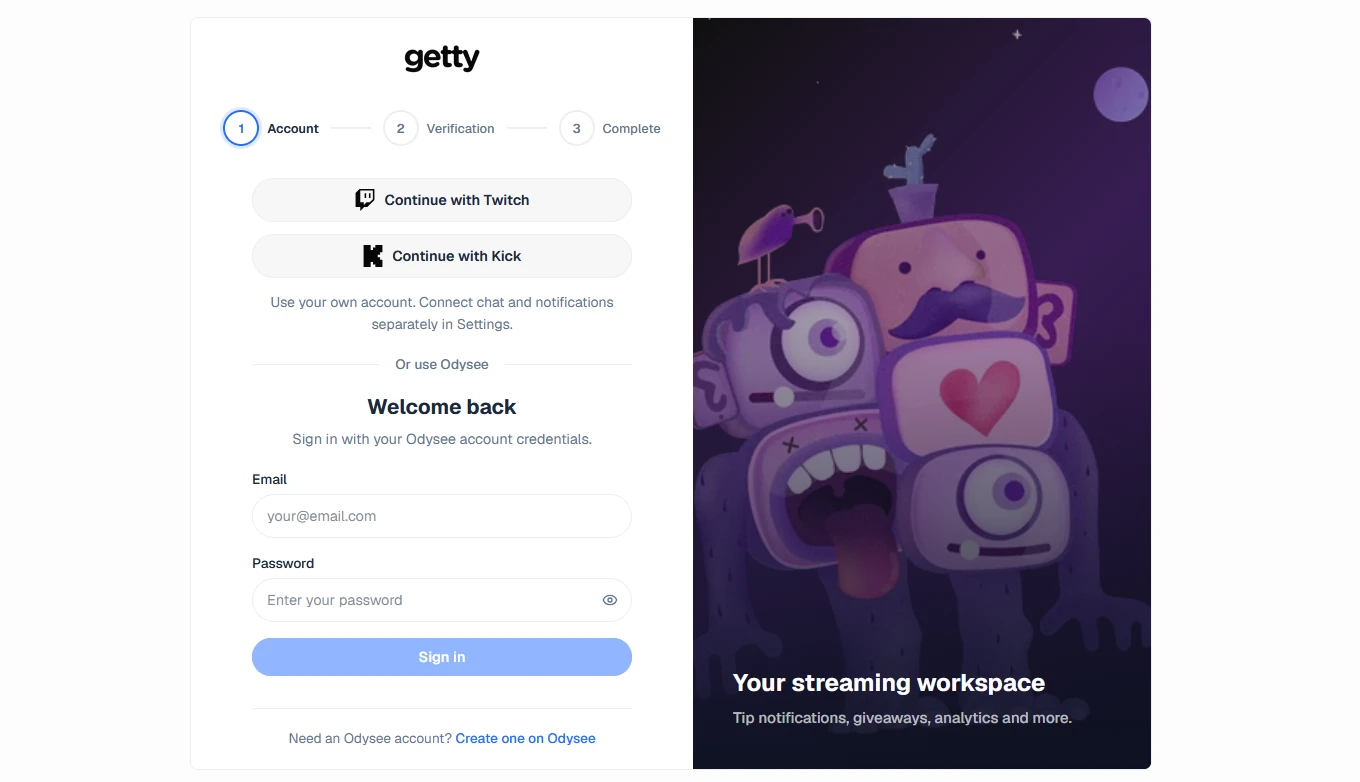
Hello everyone, we’re introducing our new update, v.1.1.9: Covenant. Log in with Odysee, Twitch, or Kick on getty and consolidate your accounts into a single session for your streaming tools.
This update expands access for streamers from different communities and improves how you connect accounts, view your audience, and keep a history of your live streams. It also adds Twitch and Kick to live channel discovery, giving you more control over how your stream appears on getty.
A Space for Your Accounts and Tools
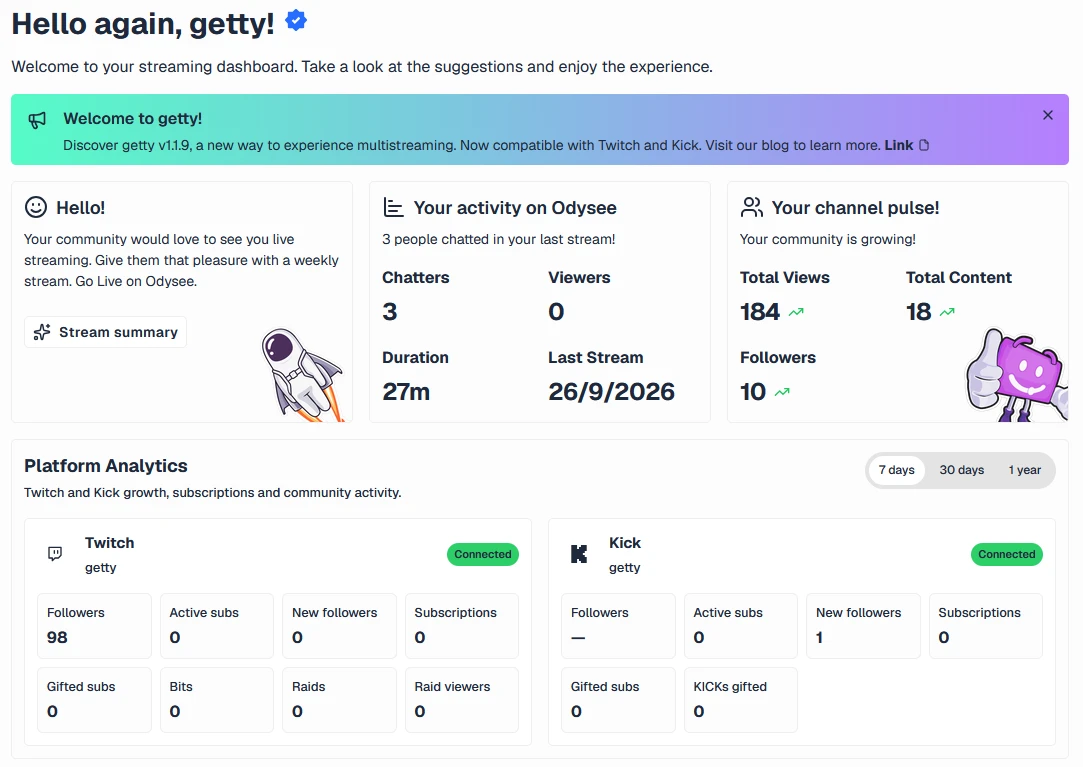
In Settings, you’ll find Your Accounts on getty, where you can view connected accounts, verify identities, and see which tools each platform uses.
Verification allows you to link an account as a way to access your current space, while retaining its settings and data. To do this, you must authorize the link and complete verification on the corresponding platform.
Important:
- Verified identities are used to access your space.
- Chat connections and notifications enable these tools and their permissions.
- History sources determine which channels are included in metric tracking.
- Discovery settings determine which channel appears publicly when you’re live.
This lets you decide what to connect and how to use each account.
New Ways to Be Discovered
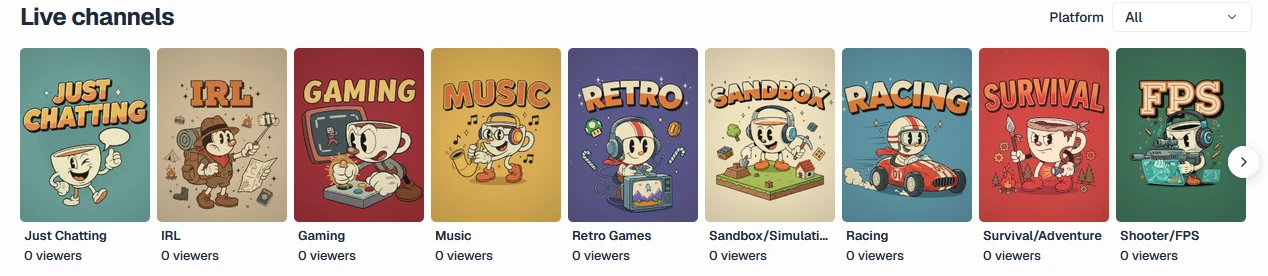
Live channel categories on getty can now feature live streams from Odysee, Twitch, and Kick.
From Stream, you can choose the primary platform you want to display in discovery. To appear, you need to have your public profile enabled, turn on discovery, and have a live stream on the selected channel.
This is especially useful if you multistream: even if you’re streaming on multiple platforms at the same time, getty displays a single discovery card, corresponding to the channel you chose. The viewer count on that card corresponds to the stream being displayed; analytics can continue to track the other sources you have enabled.
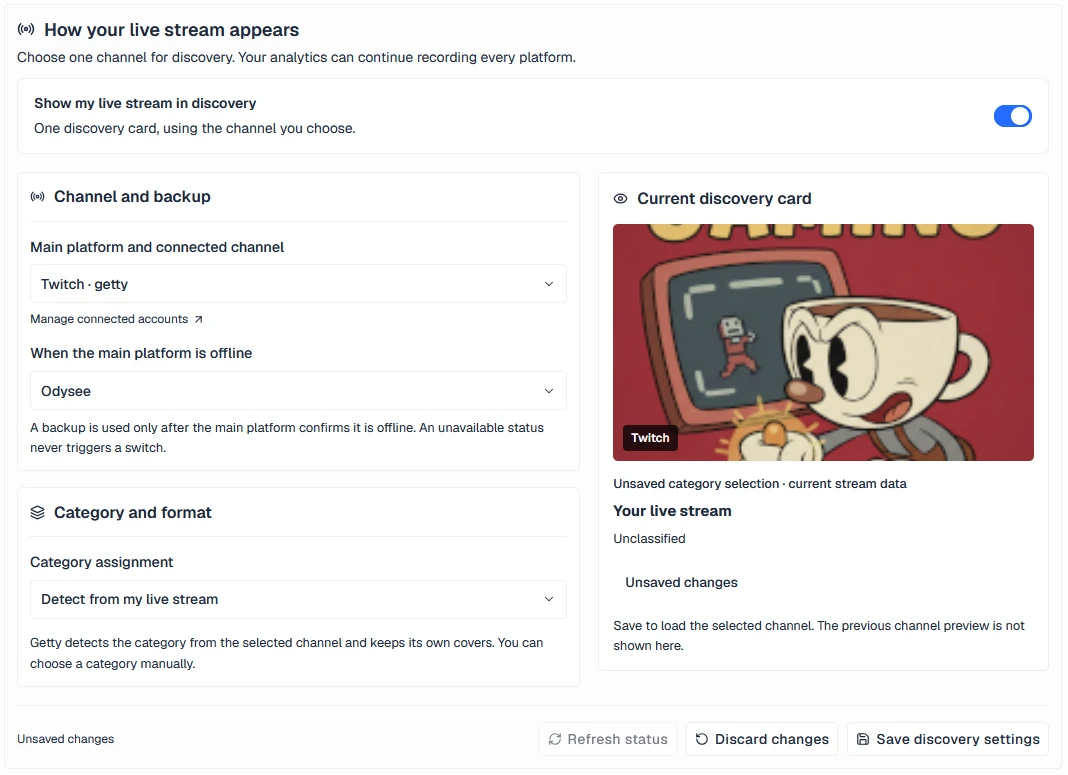
You can also set up a backup platform. If the primary platform is confirmed to be offline and the backup is live, getty can display that channel. If the primary platform is unavailable due to a temporary outage, it does not automatically switch to the backup.
Note
You can turn off discovery whenever you’d prefer your live stream not to appear in these categories.
Shared Categories with Custom Presentation
Each platform organizes its streams differently. Odysee uses the tags from the live post, while Twitch and Kick offer their own categories, games, and formats.
getty aggregates this information into its catalog of categories and subcategories, while preserving the existing cover art. For example, a Diablo IV stream might appear under MMO/RPG, with Diablo IV as the subcategory.
You can choose between two classification methods:
- Automatic: getty uses Odysee’s tags or the Twitch and Kick category when one is available in the catalog.
- Manual: You choose the category and, optionally, the game or format you want to use to present your live stream on getty.
Manual classification remains in effect until you re-enable automatic detection. This selection changes how your stream appears on getty; it does not change the category of your stream on the source platform.
When an external category is not yet available, the live stream may appear as Uncategorized. You can manually assign a category to it to make it easier to discover.
From the homepage, visitors can also filter channels by platform and, within a category, by available games or formats.
Greater visibility into your streams
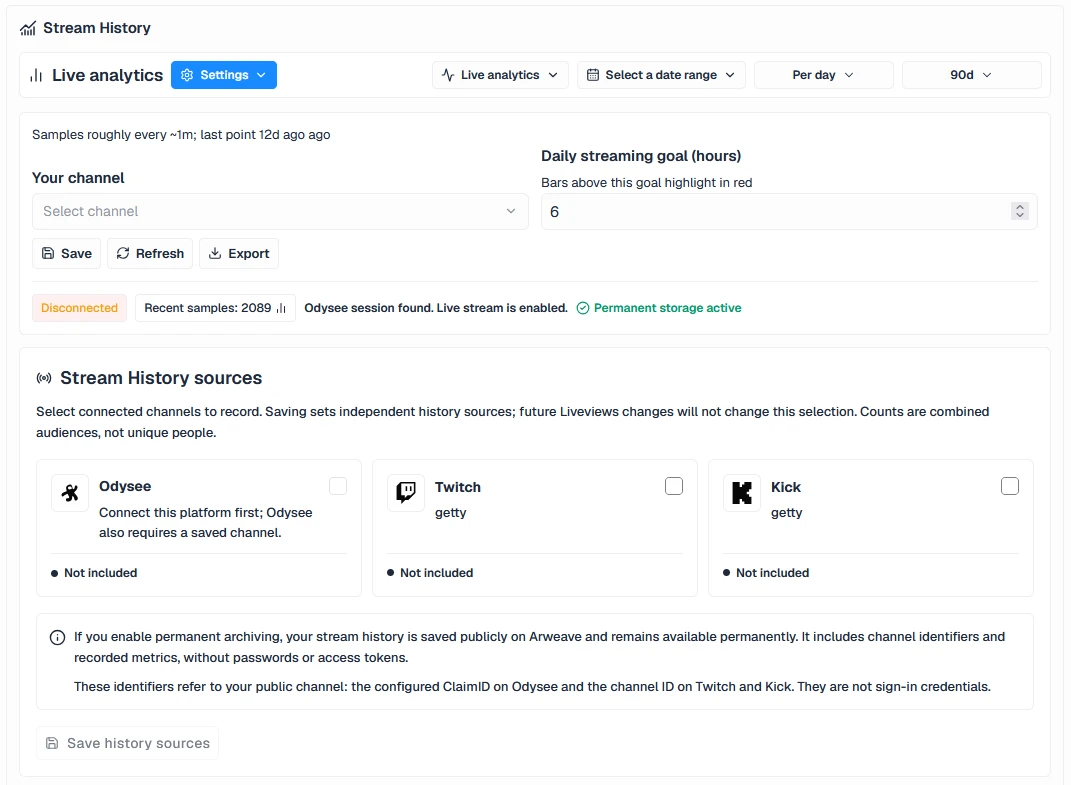
The history includes a selection of sources from Odysee, Twitch, and Kick, based on the connected and available channels.
From Analytics, you can switch between Summary and By Platform, while maintaining the dashboard layout and viewing data such as:
- Hours of streamed content.
- Average and peak viewers.
- Audience reach.
- Daily figures for the selected period.
Selecting and saving a source allows you to start tracking data from that moment onward. It does not automatically import the platform’s entire previous history.
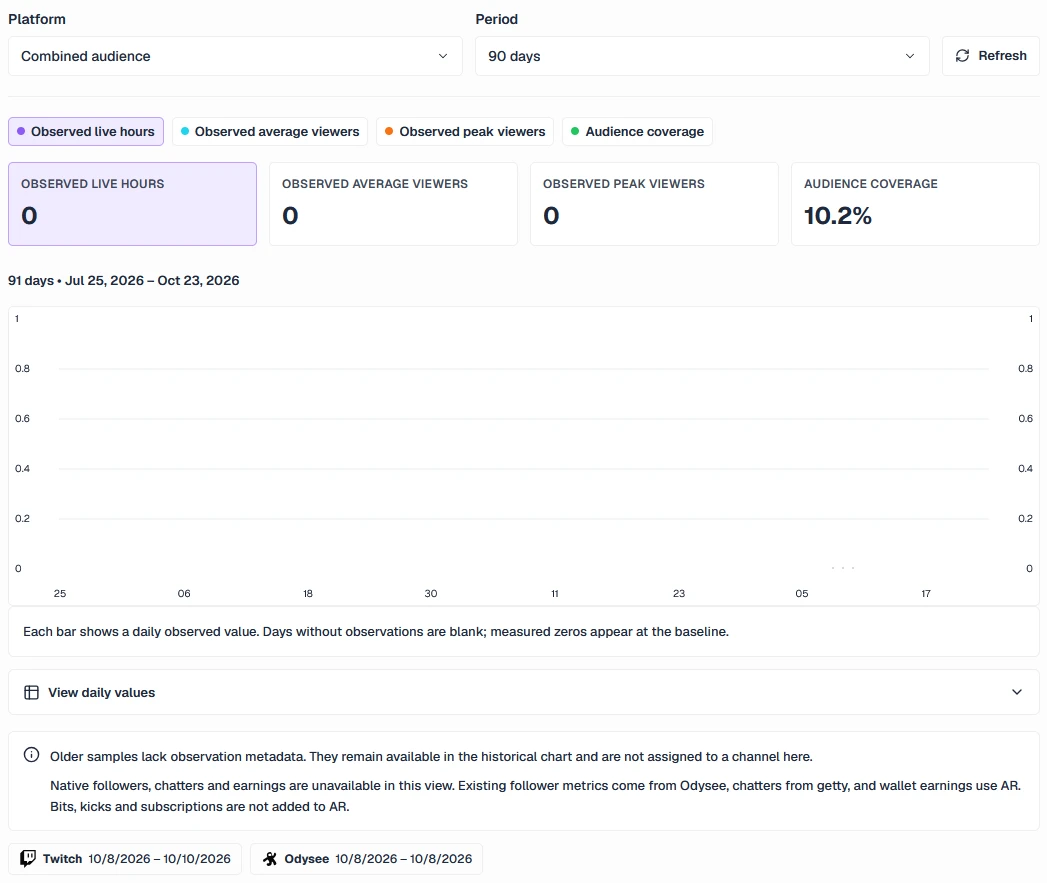
These metrics represent what getty was able to track. Periods with no data remain unknown, and the combined audience does not necessarily equal unique viewers: someone could be watching multiple platforms at the same time.
The choice of discovery channel is independent of these sources. You can display Twitch publicly and continue to track your Odysee and Kick streams as well.
Your History with Permanent Storage
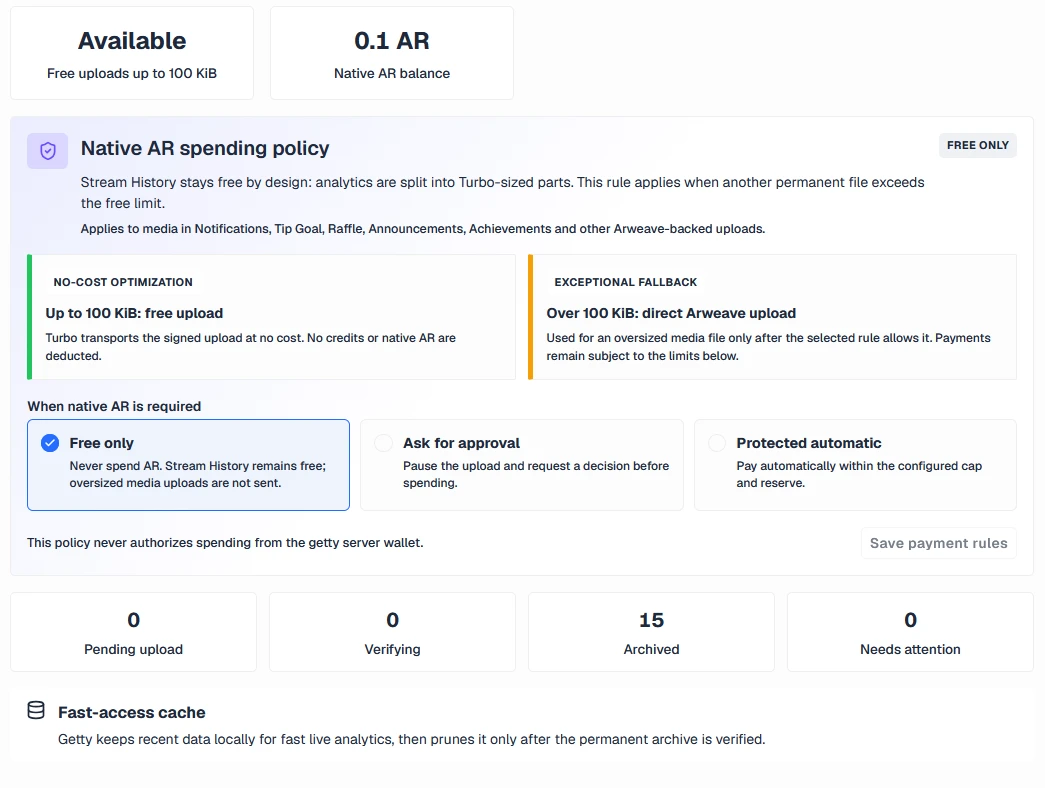
You can also configure permanent history archiving on Arweave to preserve the records that getty collects.
The archive can permanently publish the public identifiers of the selected channels and their metrics.
On Odysee, the channel identifier corresponds to the configured Claim ID. Twitch and Kick use public numerical identifiers from their accounts.
Since the post is permanent, it’s a good idea to review the selected sources before enabling this option.
Simple Setup and Tool-Based Control
You can start with what you need today and expand your connections later:
- Log in with Odysee, Twitch, or Kick.
- Review your accounts in the settings.
- Configure the chat and notification connections you want to use.
- Select the channels you want to log in your history.
- Enable your public profile and choose which platform to display in discovery.
- Review the automatic classification or assign a category manually.
- Set up permanent archiving if you want to keep your logs on Arweave.
Logging in makes access easier; each integration maintains its own settings and may require additional authorization.
Costs and Scope
Permanent storage on Arweave may incur publishing costs. The amount depends on the data being archived and the terms of service at the time of upload. However, a live stream of average duration can be stored for free on Arweave.
This update expands the analytics tracked by getty. Native metrics for followers, subscriptions, bits, kicks, or revenue from each platform are not available in this view. Wallet revenue remains in AR; monetization from Twitch and Kick is not added to that value.
For Twitch and Kick live streams, the public profile provides a link to watch the stream on the corresponding platform.
Available Now
The new login methods are now available on the getty login page. If you’re already using the app, you can continue to log in with Odysee and review the linking options in your settings.
Odysee channels that were already participating in discovery retain their initial selection. From Stream, you can review those settings, choose Twitch or Kick, and decide how you want to present your live stream.
With this update, more streamers can access getty from their usual platform, connect their tools, build a more complete history of their activity, and promote their streams from a single profile.
If you have questions, ideas, or feedback, email us at [email protected] or visit us on X or Discord.